.webp)
Snow Day: Best Practices for Your Best Virtual Voice
Essential WFH practices for audio quality, internet stability, and maintaining physical presence.
.webp)


It is snowing in the NorthEast (and other parts of the country) and many of us are navigating work from home. Though honestly, working from home has shifted from emergency measure to permanent reality for many professionals. All of this means that your home office setup matters—not just for comfort, but for how effectively you communicate with colleagues, clients, and stakeholders.
The quality of your sound and the stability of your connection directly impact how people perceive your competence and authority. And staying embodied while working from a home office? That's not a luxury—it's essential for maintaining the physical and neurological awareness that makes you effective in virtual spaces.
Here's what actually works.
Audio Quality: Your Voice Deserves Better Than Your Laptop Mic
The built-in microphone on your laptop is doing you no favors. It's too far from your mouth, picks up every keyboard click and household sound, and produces that hollow, distant quality that signals "I'm phoning this in."
Microphone positioning makes an immediate difference. Whether you're using a dedicated USB mic or a headset, keep it 6-8 inches from your mouth at a slight angle. This reduces plosives (those harsh "p" and "b" sounds) without requiring a pop filter.
Room acoustics matter more than most people realize. Hard surfaces—walls, floors, desks—bounce sound around, creating echo. Soft furnishings absorb it. Adding a rug, curtains, or even keeping books on shelves near your workspace can dramatically improve your audio quality by reducing that "conference call" reverb.
Headphones prevent feedback loops and help you hear yourself more accurately, which naturally improves your vocal delivery. They also signal to others in your home that you're in work mode.
Minimize competing sounds. Close windows during peak traffic times, mute notifications during calls, and if you share your space, consider a simple "recording" sign for your door.
Connectivity: Wired Beats Wireless Every Time
Your internet connection is non-negotiable. Drop out of a virtual meeting once, and you're forgiven. Do it repeatedly, and people start questioning your professionalism.
Ethernet over WiFi eliminates most connectivity problems. A wired connection removes interference from other devices, walls, and bandwidth competition. If running a cable isn't possible, at least optimize your WiFi setup.
Router placement affects everything. Central location, elevated, away from walls and metal objects. If your router is tucked in a closet or behind furniture, you're fighting an uphill battle.
Bandwidth management during calls means closing bandwidth-heavy applications—no Netflix in the background, pause cloud syncing, close those seventeen browser tabs you're not using.
Video quality trade-offs are worth considering. Most video conferencing platforms default to 1080p, but 720p uses significantly less bandwidth with minimal perceived difference in standard meeting windows. If your connection struggles, adjust this setting.
Microphone Options That Won't Break the Bank
If you're ready to upgrade from your laptop's built-in mic, here are four solid options at different price points:
Blue Snowball iCE (~$50)
Straightforward USB condenser mic with cardioid pattern. Plug-and-play with an adjustable stand included. If you want clear, natural sound without complexity, this delivers.
FIFINE K669B (under $50)
Metal construction that feels more substantial than its price suggests. Front-facing volume controls eliminate the need to adjust settings through software. Cardioid pattern focuses on your voice while minimizing background noise.
Movo UM700 (~$70-80)
Offers four pickup patterns like higher-end mics but at a mid-range price. Simple USB connection with built-in gain control. Good option if you occasionally need to capture multiple people in one space.
Shure MV6 (~$150)
The investment option. Built-in auto-leveling and real-time processing through Shure's Motiv Mix software handles noise reduction and pop filtering automatically. Reviewers consistently note it performs well even when you're not positioned directly in front of it—useful for movement during calls.
All of these are USB plug-and-play. No audio interface required.
Staying Embodied While Working From Home
Virtual work creates a particular problem: we become disembodied. Sitting still for hours, staring at screens, existing from the neck up. This isn't just uncomfortable—it disconnects you from the physical awareness that informs your communication and decision-making.
Alternate between sitting and standing. A standing desk—or even a makeshift setup using a box on your regular desk—changes your weight distribution and engages different muscle groups throughout the day. The shift in perspective alone can reset your energy and attention.
Micro-movement breaks between calls prevent the "frozen posture" pattern many people develop when working remotely. Shoulder rolls, neck stretches, or simply standing and taking three full breaths helps your nervous system reset rather than accumulating tension throughout the day.
Work barefoot or in minimal footwear when possible. Your feet provide proprioceptive feedback—information about your body's position in space. This maintains your awareness of your base of support, keeping you more grounded and present.
Build in physical transitions between meetings. Even 60-90 seconds of movement—walking to another room and back, stretching, or stepping outside—helps your nervous system distinguish between different contexts rather than stacking calls back-to-back in an undifferentiated blur.
The Takeaway
Your home office doesn't need to be a professional recording studio. But treating it with the same intentionality you'd bring to an in-person workspace makes a measurable difference in how you show up and how others experience your presence.
Good sound quality, stable connection, and physical embodiment aren't separate concerns—they're interconnected elements of professional communication. When you attend to all three, you're not just making life easier for yourself. You're showing respect for everyone else's time and attention.
And in a world where virtual work is here to stay, that matters.
***
Gina Razón is a recovering opera singer, functional voice coach, keynote speaker, and founder of GROW Voice, a Boston-based voice and communication practice. She is recognized for being the calm voice of clarity as she helps others connect the intention behind their ideas with their desired goals. She speaks on the power of speaking and leading from a center of neurophysiological embodiment. Gina holds a BM from the University of Colorado, Boulder and an MM from the University of Denver both in Voice Performance. She is an Appreciative Inquiry facilitator, an associate teacher of Fitzmaurice Voicework and trained in Somatic Voicework. She has served as the voice coach for TEDxNewEngland, and speaks at national and local events on the power of embodied voice. Gina is a member of the The Voice Foundation, the Voice and Speech Trainers Association, the National Speakers Association, and the Center for Appreciative Inquiry.
To see how Gina might help you or your team speak with intention contact us.
For Gina’s TEDxCambridge talk click here.
Sign up for the GROW Voice newsletter to receive updates on new blog posts, upcoming workshops, and voice training resources delivered directly to your inbox.

Related posts
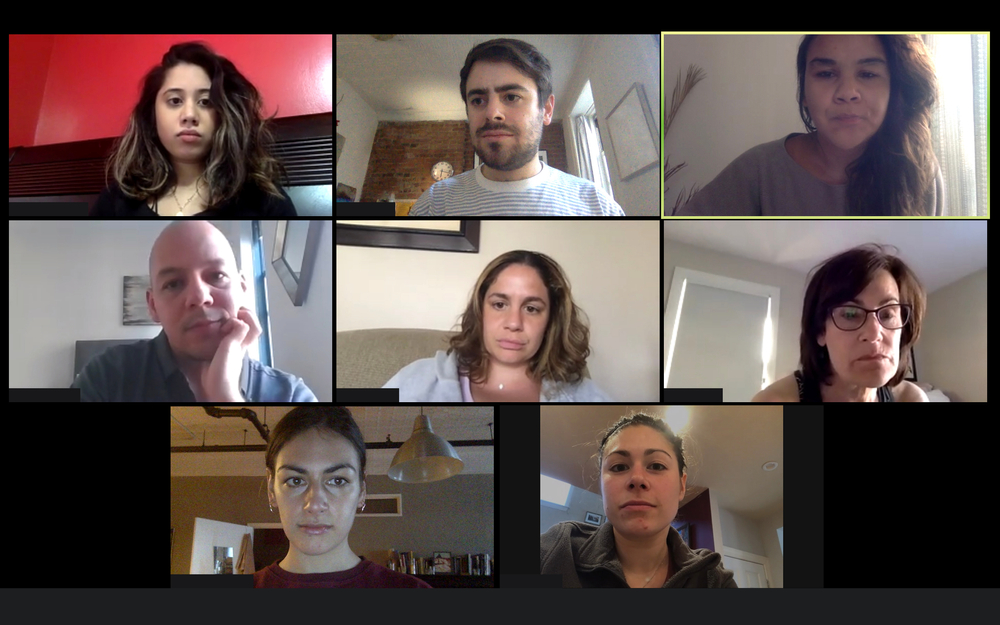
Like a Phone on a Flight: Why Video Calls Drain Your Body and Your Voice
Video calls strip away the cues your body reads in a room. Here's why that leaves you fidgety, loud, and hoarse, and what to do about it.